


Introduction
Hardware-based resource allocation is the foundation for the efficient, secure, and predictable operation of complex computing systems. This methodology goes beyond software limitations and ensures access control to critical components such as memory, storage, and processor cores at the physical infrastructure level. Three key technologies—NUMA, SSD caching, and NVMe hardware RAID arrays—form a modern approach to addressing performance and reliability issues. With growing workloads from virtualization, databases, and high-performance computing, properly understanding and configuring these mechanisms directly determines system responsiveness, scalability, and data security.
NUMA Topology: General Information
NUMA stands for Non-Uniform Memory Access. It’s a memory architecture for multiprocessor systems in which memory access time depends on its physical location relative to a specific processor. Within such a server, memory is physically divided between processors or groups of processors (nodes). A processor can access its local memory at maximum speed, while accessing memory bound to another node takes longer, as the request must travel across an interconnect (e.g., Intel QPI or AMD Infinity Fabric). The primary goal of NUMA is to eliminate the bottleneck that occurs in classic SMP (UMA) systems, where all processors compete for access to a single, shared memory bus.
The essence and significance of architecture lies in optimization. Developing efficient memory allocation and task scheduling algorithms in operating systems allows computing threads to be assigned to processors near the data they process. This minimizes the number of slow remote accesses, which is critical for resource-intensive applications: high-end virtual machines, database servers (DBMS), rendering systems, and complex scientific simulations.
Differences between basic and NUMA topologies
The key difference between traditional UMA and NUMA architectures is the access principle. In UMA, all processors have equal and uniform access to a single memory pool via a shared bus or switch. This is simple to implement, but as the number of processors increases, the bus becomes congested, limiting performance and scalability.
In a NUMA topology, memory is non-uniform. Each node is a relatively autonomous subsystem with its own processors, memory controllers, and local RAM. This allows the system to scale by adding new nodes, while the primary work of applications designed with data locality in mind is performed within a single node. However, if a task requires frequent access to data distributed across different nodes, performance may degrade due to high interconnect latency. Therefore, proper configuration and topology awareness are essential for the administrator.
Configuring virtual NUMA topology for VMs
Virtualization adds a layer of abstraction, but it doesn’t eliminate the physical realities of NUMA. The hypervisor must correctly translate the physical host topology to virtual machines. Modern virtualization platforms, such as the secure Xen hypervisor used in Numa vServer, allow virtual machines to be assigned multiple virtual processors, but it’s important to consider their affinity to physical NUMA nodes.
Special placement policies exist for this purpose. The ideal configuration assumes that all virtual processors and memory allocated to a VM are located within a single physical NUMA node. This ensures local access and maximum performance. If a VM requires more resources than a single node can provide, its configuration is deliberately distributed across multiple nodes, recognizing the potential loss of remote access. Management tools, such as the Numa vServer interface, provide administrators with tools for such configuration, monitoring, and optimizing resource allocation in real time.
NUMA topology configuration examples
Let’s look at a practical example. A mission-critical VM for a database management system is deployed on a server with two NUMA nodes (16 cores and 128 GB of RAM each). The correct configuration is to explicitly instruct the hypervisor to place all 8 virtual processors of the VM on the cores of node 0 and allocate 64 GB of memory from the local RAM of the same node. This will ensure minimal access latency.
Incorrect configuration: Allowing the hypervisor to dynamically move VM processes between all 32 host cores while allocating 96 GB of memory, which would physically distribute it between both nodes. In this configuration, half or more of the memory accesses will be remote, which can significantly reduce DBMS performance, especially under high load. Operating systems, including modern Linux and Windows Server kernels, have built-in tools (numactl in Linux, policies in Windows) that help the administrator properly manage allocation.
Real-life cases: when NUMA helps
The impact of NUMA on performance is most noticeable in highly loaded environments.
Positive case: A large company experienced unpredictable slowdowns in its ERP system running on a virtual platform, especially during high-volume transaction processing. Analysis revealed that the VM hosting the application server was spread across multiple NUMA nodes. After reconfiguring and consolidating the VM’s virtual resources into a single physical node, the average response time for critical operations decreased by 40%, and operational stability increased. This is a direct result of minimizing memory latency.
Negative case: In another case, the IT department decided to save money by running several dozen different VMs on a single powerful server with four NUMA nodes. However, due to the lack of a clear placement and monitoring policy, the load on the interconnects between nodes became abnormally high. As a result, the overall performance of the entire VM fleet was lower than on less powerful but properly configured servers. Network latency between VMs also increased, negatively impacting distributed applications.
NUMA support in systems
Modern operating systems and hypervisors have extensive NUMA support. The Linux kernel, starting with version 2.5, has continually developed and improved its mechanisms for automatically balancing memory across nodes and managing process affinity. Windows, especially server editions, also provides APIs and tools for topology management. NUMA is an important aspect of Windows and other operating systems, implemented at the driver and scheduler levels, which aim to place threads and allocate memory within a single node.
Virtualization platforms such as Xen-based Numa vServer and their competitors (VMware vSphere, Microsoft Hyper-V) have deeply integrated NUMA awareness into their kernels. They can not only take topology into account during initial VM placement but also dynamically adjust resource allocation by monitoring performance metrics and memory access latency for running VMs. This integration is critical to ensuring predictable, high performance in virtual environments.
SSD Caching: Accelerating Disk Subsystems
Flash caching is a hardware technology that uses fast solid-state drives (SSDs) as a buffer for frequently accessed data from the main, slower disk subsystem, typically built on HDDs. It significantly improves storage performance for workloads with random read and write operations while remaining a cost-effective alternative to all-flash SSD arrays.
How does an SSD cache work? It functions as an intermediate layer (often called a second-level cache, or L2 cache) between the server’s RAM (L1 cache) and the main HDD arrays. Using tracking algorithms, the system automatically identifies “hot” data blocks—those that are repeatedly accessed. These blocks are moved to the fast SSD. All subsequent requests for this data are served from the SSD, resulting in a significant increase in speed and reduced latency compared to accessing the HDD. For example, according to one vendor, adding an SSD cache can increase random IOPS by more than 15 times and reduce average latency by 93%.
Caching uses specialized data replacement algorithms, such as LRU (Least Recently Used), LFU (Least Frequently Used), or hybrids of these. This optimizes the filling of limited space on fast drives with the most useful data. Advanced implementations, such as RAIDIX, divide the cache into read-only (RRC) and write-only (RWC) areas, allowing for independent optimization of policies for different workloads and reduced SSD wear.
SSD caching is most effective in environments with high spatial locality of data, where relatively small amounts of information are accessed repeatedly. This is typical for virtual environments, file servers, web servers, and database management systems. For primarily sequential operations (such as streaming video) or completely random workloads without repeated accesses, the cache will be of little benefit.
NVMe hardware RAID arrays for reliability and speed
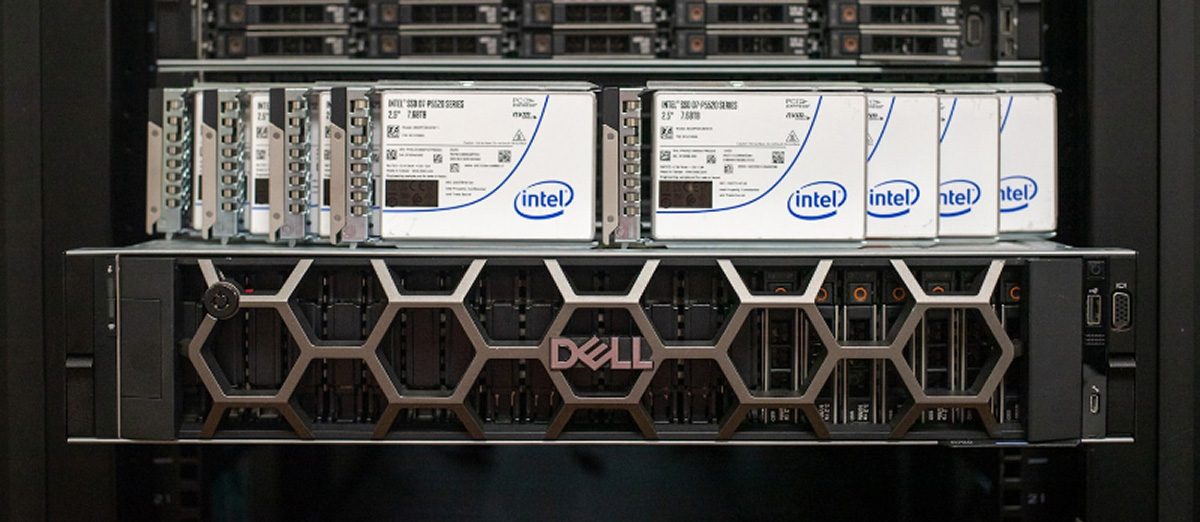
RAID is a technology that combines multiple physical drives into a single logical unit to improve performance, reliability, or both. With the advent of ultra-fast NVMe protocols, which eliminate the bottlenecks of traditional SATA and SAS, creating RAID arrays using NVMe drives has become the next logical step for mission-critical applications where both speed and fault tolerance are essential.
Modern hardware RAID controllers, such as the LSI MegaRAID 9460-8i, are specialized expansion cards with their own processor and memory. They completely offload checksum calculations, data mirroring, and array management tasks from the CPU, performing them on their own hardware. This reduces latency and OS overhead. To the system, such a controller presents an array of multiple NVMe drives as a single, reliable, and high-performance block device (e.g., a virtual SAS drive).
Popular RAID levels for NVMe:
- RAID 0 (Stripe): Data striping between disks. Maximum read and write performance, but a complete lack of fault tolerance. The failure of one disk results in the loss of all data in the array.
- RAID 1 (Mirror): Data mirroring. A complete copy of the data is stored on each disk in the array (minimum two). High reliability and read speed, but the usable capacity is equal to that of a single disk.
- RAID 5: Striping with parity. Requires a minimum of three drives. Provides good read performance, acceptable write performance, and can survive single-drive failure without data loss.
- RAID 10 (1+0): A combination of mirroring and striping. Requires a minimum of four drives. It combines the high performance of RAID 0 with the fault tolerance of RAID 1, allowing it to survive the failure of more than one drive in certain configurations.
Hybrid hardware-software solutions, such as Intel Virtual RAID on CPU (VROC), leverage chipset capabilities and a license key to create arrays directly on the processor’s PCIe lanes, which are connected to NVMe drives. This is also an effective solution, although its support in third-party software (for example, some hypervisors) may be limited compared to classic hardware controllers.
NVMe RAID is particularly suitable for high-load server environments: virtualization (hypervisor hosts), high-performance databases, real-time analytics systems, and any tasks where I/O latency is the primary limiting factor. This ensures hardware-based access control to disk resources at the controller level, improving both security (isolating the array from the OS) and manageability.
Conclusions and recommendations for access control
Effective hardware resource delimitation is not a separate setting, but a comprehensive approach to the design and operation of IT infrastructure.
Key recommendations:
- Pre-implementation analysis: Before configuring NUMA or deploying SSD cache, it’s essential to thoroughly study the workload profile of target applications. Monitoring and profiling tools (perf, Intel MLC, system counters) will help identify bottlenecks.
- Locality is paramount: The primary principle of NUMA is to preserve data locality. VMs and processes should access memory that is physically located as close as possible to the cores executing them. Use affinity tools (numactl, OS scheduler tasks).
- Choosing the right technology: SSD cache is an excellent solution for hybrid storage with mixed and repetitive workloads. Hardware NVMe RAID is the choice for clean, predictable, and maximum performance and reliability. NUMA awareness is a must for all multi-processor servers.
- Monitoring and fine-tuning: After implementation, continuous monitoring is necessary. For NUMA, this means tracking the ratio of local to remote memory accesses. For SSD cache, this means monitoring the cache hit rate. For RAID, this means monitoring the health of the disks and the array’s performance.
- Leverage integrated solutions: Consider ready-to-use secure platforms such as Numa vServer, which are designed from the ground up to optimally manage hardware resources, including NUMA, and provide easy-to-use tools for monitoring them in the context of virtualization.
Frequently Asked Questions
Question: Does enabling NUMA in BIOS always improve server performance?
Answer: Not always. For single-processor systems or for tasks that aren’t sensitive to memory latency and aren’t optimized for multithreading, enabling NUMA may not have a noticeable effect or, in rare cases due to incorrect OS data placement, may even slightly reduce it. However, for modern multi-processor servers, especially under virtualization or database loads, proper NUMA operation is usually critical.
Question: Is it possible to use SSD cache and hardware RAID at the same time?
Answer: Yes, and this is a powerful combination. For example, you can create a fault-tolerant RAID array of HDDs (level 5, 6, or 10) to store the bulk of your data and connect an SSD cache to this array to speed up processing of “hot” data. Or, conversely, you can create a high-performance NVMe RAID 1 or 10 for mission-critical VMs/DBs, and use hybrid storage with cache for archives or less frequently accessed data.
Question: What is more important for virtual machine performance: more vCPUs or proper NUMA configuration?
Answer: In the long term and for stable operation, proper NUMA configuration is often more important. Assigning more virtual processors to a VM than a single physical NUMA node can effectively handle will lead to inter-socket latency and may lead to unpredictable and poor performance. It’s better to allocate resources to a VM within a single node, even if they are few, while ensuring minimal memory access latency.

