


Choosing a modern solid-state drive
Choosing a modern solid-state drive is always a compromise between price, reliability, and speed. With the advent of new NVMe Gen4, Gen5, and the recently announced Gen6 standards, users are naturally wondering: is the premium for the latest generation justified in practice? We conducted extensive research and testing to determine the real-world performance gains of next-generation SSDs in games and workloads.
This review will help you understand which drive is worth buying in 2025 to get the most out of your investment without breaking the bank. We won’t be looking at legacy HDDs, focusing on current SATA and NVMe solutions. The primary focus is on the M.2 format, which has become the standard for new systems. The drive market is dynamic, but our ranking is based on current data and benchmarks reflecting the state of affairs in 2025.
Review of the best SSD drives
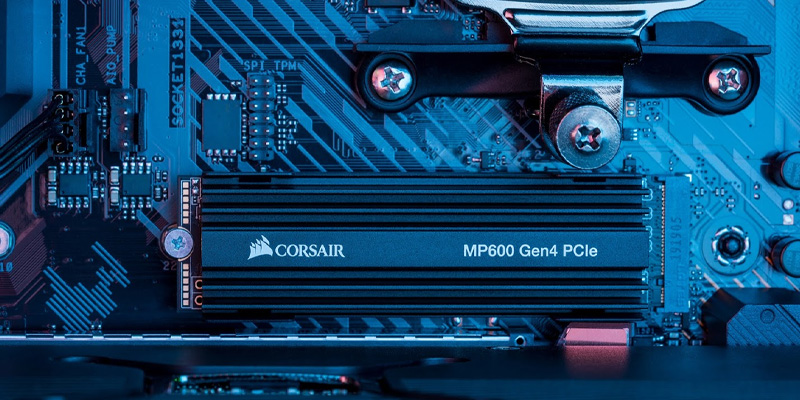
Modern solid-state drives have revolutionized computer performance. They have virtually eliminated the wait time for operating systems to boot, applications to launch, and file copying. In 2025, PCI Express (PCIe), or more precisely its implementation as the NVMe protocol, became the dominant interface for internal drives. This provides throughput several times greater than the older SATA interface.
The key question for buyers today isn’t just buying an SSD, but choosing the right bus generation: PCIe 4.0 (NVMe Gen4), PCIe 5.0, or preparing for PCIe 6.0. Each new generation promises a doubling of theoretical throughput, but the real-world benefit in everyday use cases isn’t always so clear.
Our job is to separate marketing promises from the measurable benefits users will experience at their desks. We analyzed dozens of models, their real-world read and write speeds, IOPS and latency, as well as their impact on gaming FPS and workload performance. Experts note that three generations are relevant in 2025: PCIe Gen 3 for upgrading older systems, Gen 4 as a universal standard, and Gen 5 for enthusiasts and professional workstations.
How to Choose an SSD in 2025
Before purchasing, it’s important to clearly define your needs and budget. Choosing between SATA vs. NVMe, PCIe 4.0 vs. PCIe 5.0, and the required capacity are the foundation for an informed decision. Don’t blindly chase the maximum gigabytes per second listed on the specs. For many users, a good NVMe Gen4 drive will remain the optimal choice for years to come, offering the perfect balance. Below, we’ll explore key criteria to help you make an informed choice and avoid overpaying for features you’ll never use.
SSD Selection Criteria: Performance, Reliability, and Price
The key parameters when choosing a drive are sequential speed (read/write, measured in MB/s), input/output operations per second (IOPS), which determines the speed of working with small files, and latency. For reliability, the memory type (TLC, QLC) and TBW (Total Bytes Written) are critical. Heat is another important factor, especially for PCIe 5.0 SSDs; inadequate cooling can cause throttling and performance degradation.
Power consumption is especially important for laptops, as it impacts battery life. Price per gigabyte is the final consideration. Often, the real performance gain from a more expensive model in everyday scenarios is minimal, so it’s important to evaluate the cost in the context of your planned workload. Look for a DRAM buffer or support for HMB (Host Memory Buffer) technology, which significantly impacts speed stability under load.
SSD Types: SATA vs. NVMe
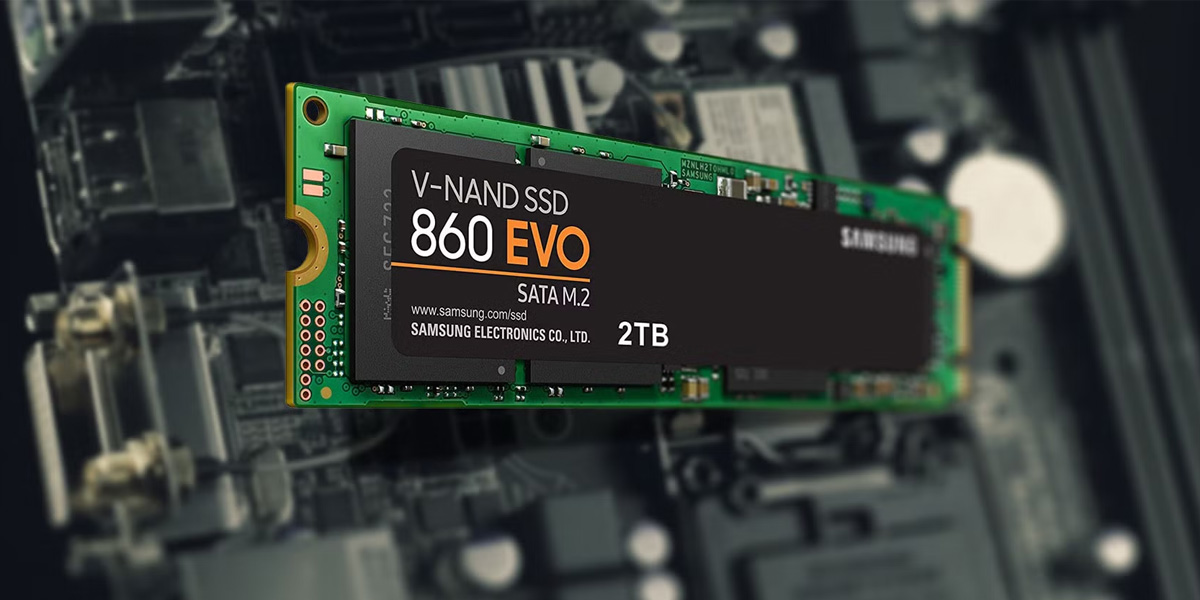
This fundamental comparison (SATA vs. NVMe) has already been resolved in favor of the latter for new builds. SATA SSDs (usually in the 2.5″ form factor) are limited by their interface to a throughput of around 600 MB/s. They are still suitable as a second drive for data storage or for upgrading older systems. NVMe SSDs (M.2 form factor) connect directly to the PCIe bus, removing this limitation. Modern NVMe drives, even Gen4, offer speeds of 5,000 to 7,500 MB/s, which is 8-12 times faster than SATA.
The real advantage of NVMe is especially noticeable when working with large files, installing heavy games, or performing professional tasks like video editing. For gamers, the gap between SATA and NVMe in games will only widen with the advancement of DirectStorage technology. It’s important to remember that M.2 is only a form factor that can use both SATA and NVMe (via PCIe) interfaces, so pay close attention to the specifications when purchasing.
SSD Capacity: Which One to Choose for Everyday Use?
The recommendation is simple: the minimum reasonable capacity in 2025 is 1 TB (1024 GB). Modern games can take up 100-200 GB each, and the operating system and software can take up another 100-150 GB. A 500 GB drive will quickly fill up, negatively impacting performance. For a workstation used for video editing, rendering, or working with neural networks (AI), 2 TB or even 4 TB is worth considering. Capacity directly impacts price, but it also impacts longevity: larger drives typically have a higher total TBW.
Purchasing a small SSD for the system and a large HDD for storage is outdated. A single, fast, and spacious drive, or a combination of an NVMe drive (for the system and games) and a SATA SSD (for archiving), provides true comfort. Experts also note that when an SSD is filled to more than 80% capacity, its speed can significantly decrease, so extra space also means extra performance.
The Best SSDs of 2025
Our rating is based on a comprehensive analysis of performance, reliability, price, and user reviews. We’ve divided the models into categories to help you easily find the perfect fit for your needs: from top-end enthusiast solutions to the best budget options. Our ranking takes into account both synthetic benchmarks and real-world test results, including file copy speed and power consumption.
Samsung 990 PRO 2TB SSD
The flagship NVMe Gen4 drive has long set the speed bar. Sequential read speeds of up to 7,450 MB/s and write speeds of up to 6,900 MB/s. Exceptionally high IOPS and low latency. Equipped with a dedicated controller and TLC memory, it’s an excellent choice for the most demanding tasks, including 4K video editing, neural network computing, and gamers who don’t want to compromise. Its reliability is confirmed by its high TBW. In 2025, it became the benchmark PCIe 4.0 SSD, continuing to demonstrate outstanding benchmark results on par with newer models.
WD Black SN850X 1TB SSD
Another powerful PCIe 4.0 card, often competing with the 990 PRO. Read speeds reach up to 7300 MB/s. It’s especially well optimized for gaming thanks to proprietary firmware and DirectStorage support. A version with a heatsink is available, which is important for compact cases.
An excellent balance of price and performance, it’s one of the most popular drives for gaming PCs. A real boost in gaming performance is already noticeable in load scenarios. According to independent tests, it demonstrates high random read speeds of up to 800,000 IOPS, which is critical for system responsiveness.
Kingston KC600 1TB SSD
If your computer or laptop only supports SATA, the KC600 is one of the best choices in this class. It offers reliable performance and stable speeds well within the interface’s limits (up to 550 MB/s). It uses TLC memory and boasts a solid reliability rating. Ideal for office PCs, older systems, or as a second storage drive, it’s a good example of why SATA SSDs aren’t worth writing off yet.
Samsung 870 EVO 1TB SSD
A legendary SATA model that enjoys a well-deserved reputation. While not the cheapest in its segment, it’s one of the most stable and durable. It guarantees consistent performance even when heavily loaded. This SSD is a solid-state drive that can be recommended for any task where NVMe speed isn’t critical. Phenomenal reliability and excellent compatibility.
Crucial MX500 1TB SSD
The 870 EVO’s main competitor in the SATA arena, often offering better value for money. It offers comparable performance and also uses TLC memory. Built-in data protection and a non-volatile cache enhance reliability. An excellent budget option for a quick and easy upgrade of any PC or laptop with a SATA interface. A true mainstream favorite.
ADATA SU650 240GB SSD
One of the most affordable solid-state drives on the market. Suitable for upgrading a system to a very old computer, giving it new life, or for using it as a cache drive. 240 GB is a small capacity these days, and the memory uses QLC, which impacts the speed during long writes. However, for basic tasks (office, internet), this is a good way to get the benefits of an SSD with minimal investment.
Western Digital Blue SN570 1TB SSD
A budget-friendly but very capable NVMe Gen3 drive. Read speeds are around 3500 MB/s. It doesn’t support PCIe 4.0, but for most users, this performance is more than sufficient. It offers excellent thermal stability and low power consumption. It’s an ideal choice for a laptop or non-gaming PC that needs a fast, quiet, and cool primary storage device at a reasonable price. It shows that chasing the latest generation isn’t always worth it.
XPG GAMMIX S11 PRO 512GB SSD
ADATA’s gaming model is based on PCIe Gen3. It features a stylish heatsink and good read speeds (up to 3500 MB/s). 512 GB of capacity is a reasonable minimum for an entry-level gaming system. It shows significant performance improvements over SATA SSDs, especially in terms of level load times. It’s a good compromise for a budget-conscious build with an eye on the future.
Kingston NV2 250GB SSD
An ultra-budget NVMe Gen4 drive. While it formally supports the new standard, real-world speeds (reading up to 3500 MB/s) are more in line with Gen3. It uses QLC memory. It’s suitable for those who want to install a fast M.2 drive on a new motherboard but aren’t willing to spend a significant amount. It’s important to understand that this is an entry-level model, and for more serious workloads, other options are better.
Samsung T7 Shield 1TB Portable SSD
The best portable solid-state drive of 2025. Connects via USB 3.2 Gen2 and delivers speeds of up to 1050 MB/s. It features a rubberized, shock-resistant casing with an IP65 rating for dust and water resistance. It also features 256-bit AES hardware encryption. It’s ideal for professional photographers, videographers, or anyone who needs to quickly and securely transfer large amounts of data between workstations. It offers reliability, compact size, and high performance in a single device. Tests have confirmed its claimed speed and effective overheat protection.
Crucial P5 Plus 1TB SSD
An excellent NVMe Gen4 drive that consistently ranks high in price/performance ratings. It offers read speeds of up to 6600 MB/s and uses TLC memory with a DRAM buffer. A reliable Micron controller ensures stability under load. It’s a good choice for those looking for a real performance boost over Gen3 but don’t want to overpay for the absolute best. It performs excellently in both gaming and workloads.
Patriot Viper VP4300 1TB SSD
A powerful PCIe 4.0 drive, often featured among top-tier products thanks to its aggressive pricing. Sequential read speeds of up to 7400 MB/s and write speeds of up to 5500 MB/s are available. It comes with a massive metal heatsink for effective cooling. It uses an Innogrit IG5236 controller and TLC memory with a DRAM buffer. It’s an excellent choice for building a powerful gaming PC with a striking design, where the appearance of the components is as important as the performance. It competes with more established brands in synthetic and applied benchmarks.
Netac NT01NV3000-1T0-E4X SSD
A good budget-friendly 1 TB NVMe Gen3 drive with read speeds up to 3100 MB/s. Ideal as a first step when upgrading from SATA to NVMe without breaking the bank. Suitable for everyday tasks, office work, and light gaming. Its low power consumption makes it suitable for laptops. It demonstrates that the speed of third-generation PCIe is more than sufficient for many scenarios.
Samsung 980 PRO (with updated firmware) 1TB SSD
Despite the introduction of new models, the 980 PRO, with the latest firmware, remains one of the fastest and most stable Gen4 drives. It offers read speeds of up to 7000 MB/s and write speeds of up to 5000 MB/s. It’s equipped with Samsung’s proprietary Elpis controller. After addressing early firmware issues, this drive has solidified its reputation as one of the most reliable solutions for enthusiasts. It’s often available at an attractive price, making it a particularly worthwhile purchase.
SSD performance comparison
To illustrate the difference, let’s look at real-world benchmark numbers from 2025. In synthetic tests (CrystalDiskMark), the top-end PCIe 5.0 SSD can achieve sequential read speeds of over 12,000 MB/s, which is almost double that of the best Gen4 models (~7,000 MB/s).
However, in real-world workloads, such as unpacking an archive or copying a folder with tens of thousands of small files (the File Copy test), the difference shrinks to 15-30%. In games with current engines, the FPS difference between Gen4 and Gen5 drives is often within statistical error (1-3 frames). The main advantage of the new generation is its use of DirectStorage technology, which is only just beginning to be implemented. Therefore, the real performance gain from PCIe 5.0 SSDs in 2025 will be noticeable in narrow professional scenarios (for example, rendering 8K video and working with neural networks), but for gaming and general work, a good Gen4 drive is a smarter purchase. An important metric is Random IOPS (random input/output operations) at low queue depth (QD1), which better reflects real-world everyday performance; here, the gap between generations is also less dramatic.
Advantages and disadvantages of popular SSD models
Each model has its strengths and weaknesses. Understanding them will help you avoid disappointment and make a choice that will please you for years to come. We’ve highlighted the key points for three iconic models in different market segments.
Samsung 990 PRO: Speed and Reliability
Advantages:
- Absolute speed in its class (PCIe 4.0), phenomenal stability, exceptional write endurance, and excellent thermal management. This drive is for those who value time and tolerate no compromises. It continues to lead the performance rankings.
Flaws:
- High price. With PCIe 5.0 drives already available, some may find it counterintuitive to buy a previous-generation flagship, despite its outstanding real-world performance. It may require additional cooling in poorly ventilated cases.
WD Black SN850X: Optimized for Gaming
Advantages:
- Ideally balanced for gaming systems, with excellent DirectStorage support, and often offered at a more attractive price than its direct competitors. A version with an efficient heatsink is available. Random IOPS performance is at the highest level, which is critical for gaming and system responsiveness.
Flaws:
- It may become hotter under prolonged load without proper cooling. In some workload scenarios (long-term continuous recording), it may be slightly inferior to the 990 PRO in terms of write speed stability.
Kingston KC600: A Balance of Price and Quality
Advantages:
- One of the best SATA models for reliability, stable performance, and an affordable price. It requires no additional cooling and is compatible with any PC or laptop from the last 10 years.
Flaws:
- Limited by the SATA interface, which in 2025 is already perceived as slow compared to NVMe. It’s not suitable for bandwidth-critical tasks such as video editing or processing large databases.
Frequently Asked Questions About SSDs
What is the best SSD for a gaming PC in 2025?
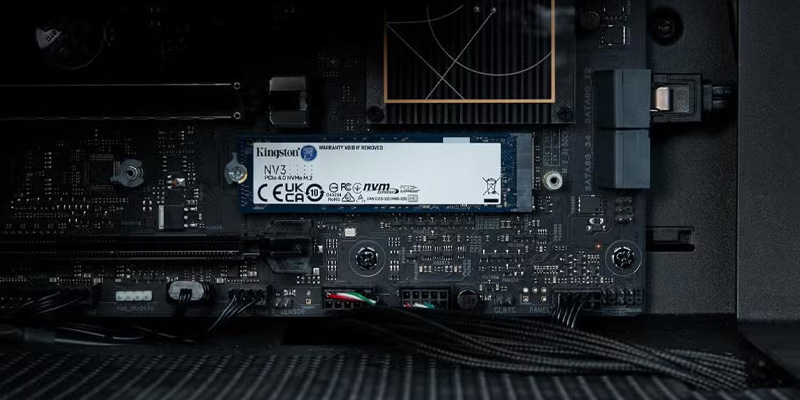
For a gaming PC in 2025, the optimal choice is an M.2 NVMe drive with a PCIe 4.0 (Gen4) interface and a capacity of 1 TB or 2 TB. Models like the WD Black SN850X or Samsung 990 PRO will ensure the fastest possible game and level loading times, as well as full compatibility with DirectStorage technology, which will soon be widely used in new titles. Paying extra for a PCIe 5.0 SSD for gaming isn’t justified this year, as the real-world impact on FPS in most games is minimal.
The key is to avoid choosing a SATA SSD as the primary drive for a new gaming build. 2 TB is currently considered the “golden mean” in terms of price, capacity, and performance.
Which SSD drive offers the best value for money?
In the NVMe Gen4 segment, the WD Black SN850X (1-2 TB) and similar drives from other brands (such as the Crucial P5 Plus or Patriot Viper VP4300) often offer the best price-performance ratio. In the SATA segment, the Crucial MX500 is the undisputed leader. These drives offer good reliability, high real-world performance for most tasks, and are less expensive than the absolute flagships. It’s worth checking current prices before purchasing, as the market is very dynamic. Also worth considering are the Kingston KC3000 or ADATA Legend 960 Max, which have demonstrated excellent speeds in benchmarks at a competitive price.
Which portable SSD drive is the most reliable and fastest?
The Samsung T7 Shield (rugged version) or T7 Touch (with biometric security) are considered the most reliable and fastest portable models for 2025. They offer data transfer speeds of up to 1050 MB/s via USB 3.2 Gen 2, a durable, drop-resistant design, and secure encryption. This is the ideal choice for professional video or photo editing. The Shield model has an IP65 rating, making it dust- and splash-resistant.
How to choose an SSD for a laptop in 2025?
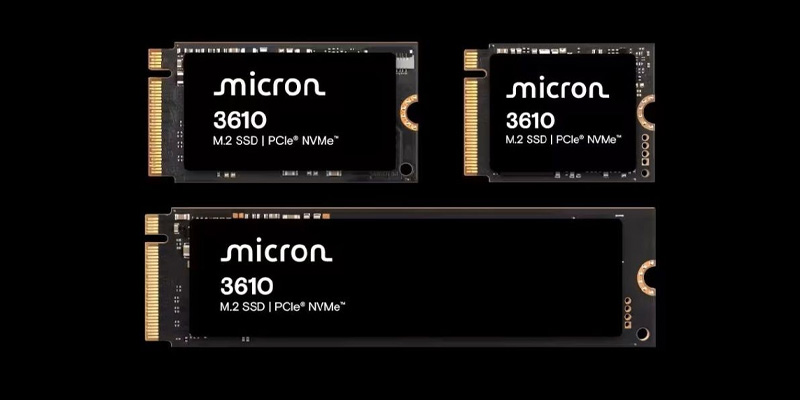
When choosing an SSD for a laptop, three key factors are: form factor (most often M.2 2280), power consumption, and heat output. It’s recommended to choose drives without a massive heatsink (they’re thinner) and with good power efficiency. Excellent options include the WD Blue SN570 (PCIe Gen3) or the Samsung 980 (PCIe Gen4) without a heatsink.
They deliver high speed, generate very little heat, and don’t drain your battery. Before purchasing, check the interface (PCIe Gen3 or Gen4) and physical length (e.g., 2230 for Steam Deck or 2280 for most laptops) supported by your laptop to avoid overpaying for unused potential. For Ultrabooks, weight and thickness are also critical, so single-sided drives (with chips on only one side of the board) are preferable.
Conclusion
Choosing a modern solid-state drive in 2025 requires a balanced approach. The SSD market offers solutions for every need and budget: from budget SATA models for upgrading older systems to top-end NVMe Gen5 drives for professional workstations. The key takeaway is that chasing the latest generation isn’t always worth it: for most users, including gamers, a high-quality NVMe Gen4 drive with 1-2 TB of capacity remains the optimal choice, delivering excellent performance at a reasonable price.
Remember that the actual performance of an SSD depends not only on the advertised speeds but also on the memory type, the presence of a DRAM buffer, the quality of the controller, and the cooling system. When choosing, focus on your specific needs: for gaming, random read speed and DirectStorage support are important, while for professional work, stability under sustained loads and a high write endurance are crucial. We hope our rating and recommendations will help you make the right choice and get the most out of your new drive.

