



Our test result : 4.5/5
After testing Restream, we were impressed by its simple interface and multi-streaming options, perfect for instantly expanding the reach of content creators. Real-time interaction tools, such as centralized chat and cross-platform comment management, help maintain a strong connection with the audience.
Streaming has become essential for content creators , businesses, and artists who want to interact live with their audience.
Used for events, podcasts, product launches or webinars, it allows you to create a direct link.
Broadcasting across multiple platforms like YouTube, Facebook, LinkedIn, or Twitch can become complex without the right tools.
Multistreaming is designed to simplify this management . With a single click, it allows you to reach a wide audience across multiple channels simultaneously, thus increasing visibility and engagement.
In this article, we will introduce you to Restream , an ideal tool for multistreaming.
Don’t have time to read everything? Here’s what you need to know about Restream:
Multistreaming : Broadcast simultaneously on over 30 platforms, including YouTube, Facebook, and LinkedIn. With a single click, you can reach a wide audience without compromising on quality—an ideal solution for diversifying your audiences with a single stream.
Restream Studio : Create professional shows directly from your browser. Invite people, add overlays and logos, and engage your audience in real time for a dynamic and immersive experience. Cross-platform chat integration
: Bring all your broadcast comments together in a single chat interface. Respond in real time, regardless of the platform, for seamless interaction with your viewers. Analytics : Track detailed statistics for each broadcast. Data on views, audience peaks, and engagement allows you to adapt and optimize your content to your audience’s preferences.
Introducing Restream
Restream is a complete solution that allows you to easily broadcast your live content on multiple platforms simultaneously .
On YouTube, Facebook, LinkedIn and many others , the tool simplifies multistreaming, allowing you to reach a wide audience without technical complexity.
Its intuitive interface makes managing broadcasts simple, even if you’re a beginner, while maximizing the reach of your content.
In addition to multi-platform streaming, you can customize your broadcasts to give them a professional look .
Adding logos, overlays, and calls to action is seamless , making your presentations more engaging.
The centralized chat function allows you to monitor and respond to comments from all your platforms in real time.
With HD video streaming options and detailed analytics , the tool places user experience and reach optimization at the heart of its priorities.
Who is Restream aimed at?
Restream is the perfect tool for creators and businesses looking to maximize their online visibility through cross-platform streaming. Here are the profiles for which Restream is designed:
- Develop a diverse audience : For content creators who want to reach the maximum number of viewers, Restream allows simultaneous streaming on multiple platforms such as YouTube, Facebook and Twitch.
- Entrepreneurs : If you are looking to launch a product, host a webinar or broadcast live promotions, Restream is a powerful tool to increase your visibility and interact directly with your potential customers on their preferred networks.
- Podcasters and talk show hosts : Restream simplifies the management of live podcasts and interviews by allowing you to host guests and interact with your audience in real time, regardless of the platform. Perfect for boosting engagement around your shows.
- Online trainers and educators : Whether you lead workshops, training sessions or conferences, Restream allows you to broadcast your educational content on multiple platforms, thus increasing the reach and impact of your training sessions.
Restream’s main features
This tool offers features designed to simplify cross-platform streaming and optimize audience engagement. Here’s what makes it a powerful solution for content creators and businesses.
Multistreaming
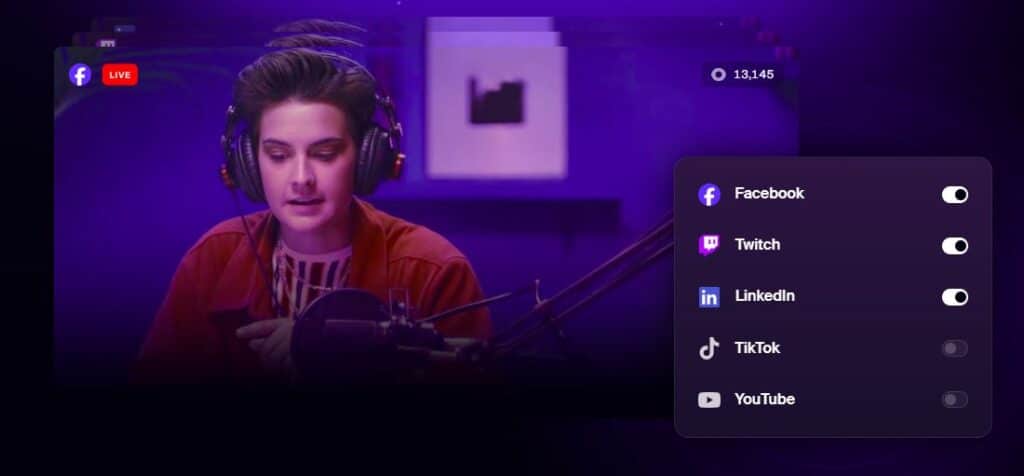
Restream allows you to broadcast live on more than 30 platforms simultaneously, such as YouTube, Facebook, LinkedIn , and many others.
This feature helps you maximize your visibility without having to multiply your configurations or separate streams.
With just one click, you can reach a wider audience, without losing broadcast quality.
This is ideal for those looking to reach different types of audiences at the same time .
Restream Studio
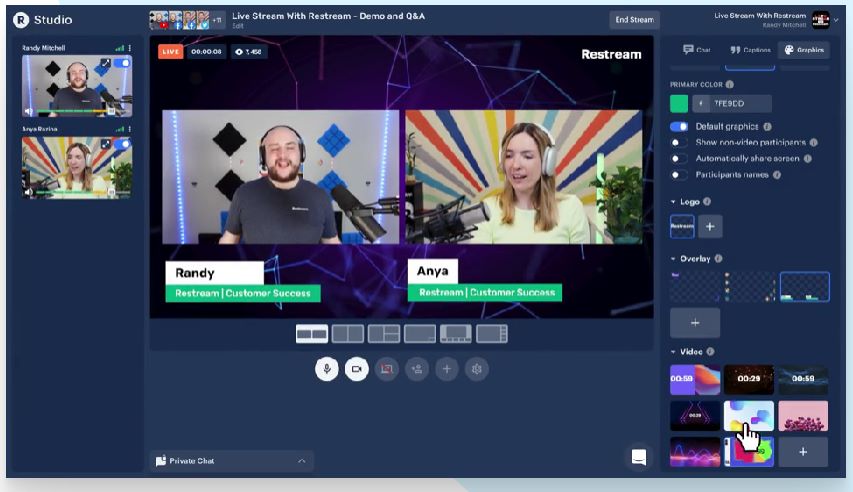
With Restream Studio, create professional-quality shows directly from your browser , without the need for additional software.
This feature allows you to invite up to 10 guests, and to customize the appearance of your stream with overlays, logos and other graphic elements.
With just a few clicks, you can also add calls to action to encourage audience engagement. Everything happens in real time, allowing for authentic and dynamic interactions with viewers.
Cross-platform chat integration
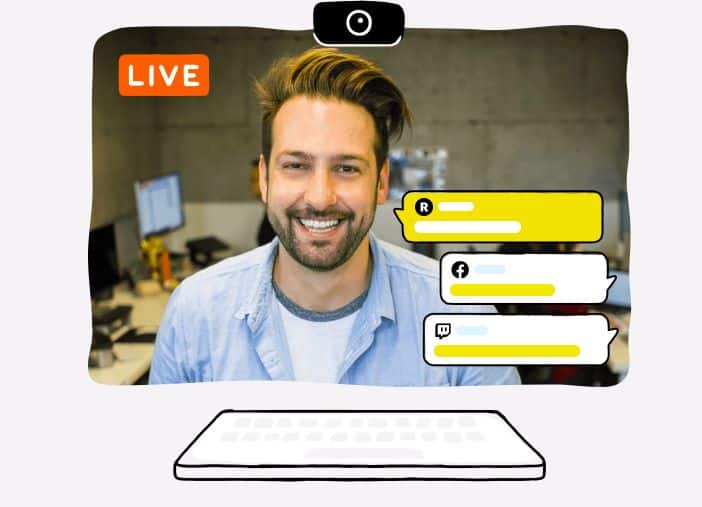
Restream centralizes all messages from your different streaming platforms into a single chat interface.
No more juggling multiple screens to read comments. You can access all messages and reply to them in real time.
It’s perfect for keeping conversations flowing and making your audience feel involved, wherever they are.
Analytics
Restream’s Analytics tool provides you with detailed statistics on the performance of your broadcasts .
You can track metrics such as the number of views, peak audience times, and viewer engagement.
This data allows you to identify what works well and understand your audience’s preferences, so you can adapt your content accordingly.
Restream pricing
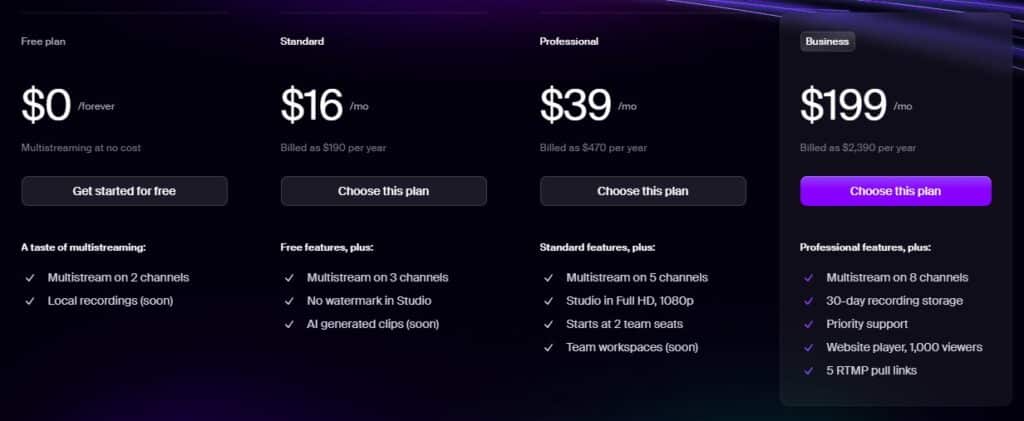
This service offers several plans tailored to everyone’s needs, whether you’re a beginner or a growing business. Here’s an overview to help you choose the plan best suited to your broadcasts.
Free Plan
The free plan is perfect if you’re new to multi-platform streaming and want to test the features without spending a penny.
With this plan, you can stream on two channels at the same time, with a resolution of 720p and basic graphics options.
It’s ideal for testing the tool and starting to familiarize yourself with multistreaming.
Standard Plan
For $16 per month , the Standard plan offers you more flexibility and customization options.
With this plan, you can broadcast on three channels without a watermark, record your broadcasts without limit , and benefit from some additional customization options.
This plan is perfect if you want to give your streams a more professional look without breaking the bank.
Professional Plan
At $39 per month , the Professional plan is your solution if you want to go further in quality and broadcasting options.
This plan allows you to stream in Full HD ( 1080p ), broadcast on five channels at the same time, and even collaborate with a team.
This is the ideal plan for creators and businesses looking to impress their audience with a premium streaming experience.
Business Plan
The Business plan, at $199 per month , is designed for companies that need advanced features and intensive use of streaming.
This plan allows you to broadcast on eight channels simultaneously, integrate a player directly into your website , and access priority customer support.
In addition, you have options such as storing recordings for 30 days and streaming with an RTMP source.
This is the plan you need if you want total control and an ultra-professional streaming experience.
What do Restream users think?
This user appreciates Restream’s ease of use and the overlay of comments , which allows him to interact without missing any messages.
Although he would like automatic video adjustment, he highly recommends this tool for live podcasters , highlighting its effectiveness in engaging the audience.
This user loves Restream for its ease of use in live streaming, especially for broadcasting to Facebook groups , a personal LinkedIn profile and YouTube simultaneously.
The ability to configure connections once and then broadcast at will greatly simplifies his broadcasts, an advantage he particularly appreciates for managing multiple platforms at the same time.
The advantages and disadvantages of Restream
Here are the main advantages and disadvantages of this tool to help you see if it meets your multi-platform streaming needs.
The advantages
✅ Simple and intuitive interface
✅ Multistreaming on over 30 platforms
✅ Advanced customization features for streams
✅ Responsive and professional customer support
The disadvantages
❌ Full HD video streaming is not available in the free plan
❌ Integrations may sometimes require technical adjustments
In summary: our opinion on Restream
After testing Restream, it is clear that this tool is ideal for creators looking to reach a wide audience without complexity.
Its interface makes multi-platform streaming easy, with tools to engage and analyze your audience.
We particularly liked the customization options , which make each broadcast unique and professional.
This service combines power and simplicity, perfect for beginners and experts alike.
The customization options, coupled with cross-platform chat and analytics features, provide an undeniable competitive advantage.
The prices may seem high for small budgets , but the gains in visibility and engagement more than compensate for the investment.
With Restream, managing multi-platform broadcasts becomes a pleasure rather than a chore, even for large-scale events.
Paid plans offer advanced features that allow you to professionalize your content, and the free plan remains a good option for those starting out .

