


Our test result : 4.8/5
We found that Divi offers great flexibility and allows you to create professional designs without coding, which was a real asset for our WordPress projects. However, during our use, we found that it took some time to become familiar with all its features and fully leverage its potential.
WordPress page builders have transformed website creation by making it accessible to everyone, including beginners without technical skills.
Thanks to these tools, it becomes possible to design professional websites quickly and intuitively , simplifying the work of novices as well as experts.
Today, many solutions are available, each offering its own advantages and disadvantages.
After testing several of these options, we find that Divi stands out for its flexibility and the richness of its features.
Don’t have time to read everything? Here’s what you need to know about Divi:
Real -time visual editor : This editor lets you build and edit pages directly on the front end. You see the results of your changes instantly, making creation intuitive and accessible, even without coding. Diverse and customizable modules
: Divi includes over 200 modules, such as galleries, forms, and calls to action, that you can fully customize. This allows you to tailor each element to match your site’s style. Responsive design : Divi automatically optimizes your site’s display on different devices. You can also fine-tune each component to ensure a seamless experience on desktop, tablet, or mobile. History and backup : With Divi, you can revert to previous versions of your work thanks to its history system. The automatic backup feature ensures you’ll never lose your content in case of a technical issue.
Divi is recognized as one of the best page builders for WordPress , and in 2026, it continues to be a preferred choice for many website creators.
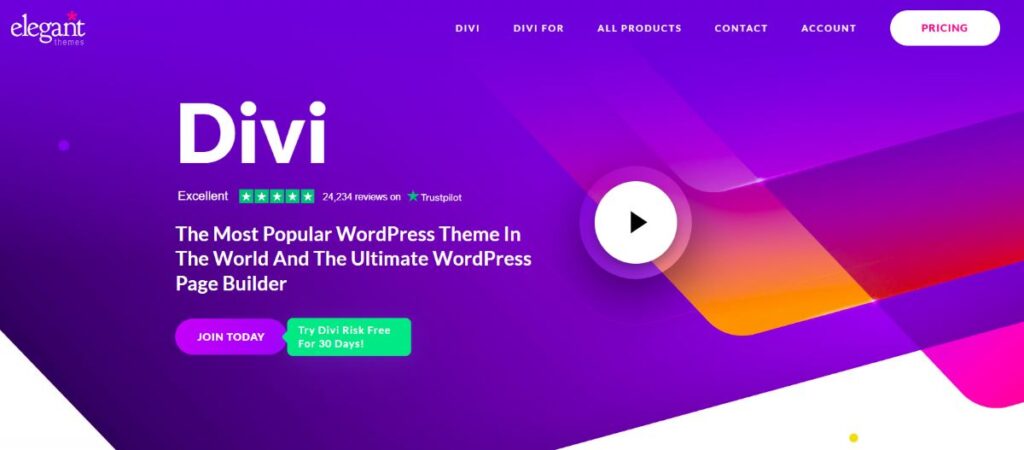
Developed by Elegant Themes, this WordPress theme offers a visual page builder that facilitates layout without requiring coding skills.
During our WordPress projects, we were able to test Divi and explore its various modules and customization options .
What particularly impressed us was the fluidity of the creation process and the flexibility that this theme provides to meet various design needs.
With a Divi license, we appreciated the ease of use for projects requiring quick updates and frequent adjustments.
Divi’s visual editor allows you to instantly see each change , making layout more intuitive and interactive.
Whether for trying out new designs or adjusting existing pages, Divi has proven to be an essential tool.
Who is Divi for?
Divi is a versatile SEO WordPress theme that caters to a variety of users, each able to leverage its features according to their specific goals. Here are the user profiles Divi is best suited for:
- Freelance web designers : For freelancers looking for a fast and intuitive page builder for their projects. With Divi, you can meet your clients’ expectations by creating attractive websites with customizable modules and an intuitive interface.
- Website creation agencies : Divi is ideal for agencies that need to create and prototype custom websites while meeting deadlines. Its library of reusable themes and modules facilitates team collaboration and project management under a single license.
- Small business owners : To build a showcase website without hiring a developer, Divi is an affordable solution. With pre-built layout templates and numerous customization options, this theme simplifies the creation of professional web pages.
- Beginners in web design : Divi offers an easy-to-use interface, with pre-designed modules and layouts that simplify creation. You can experiment and learn to design websites at your own pace, while creating professional-quality pages.
The main features of Divi
To fully leverage Divi’s potential, understanding its core features is essential. This WordPress theme stands out for its wealth of tools, which facilitate the design of unique and professional websites, suitable for all experience levels.
Real-time visual editor
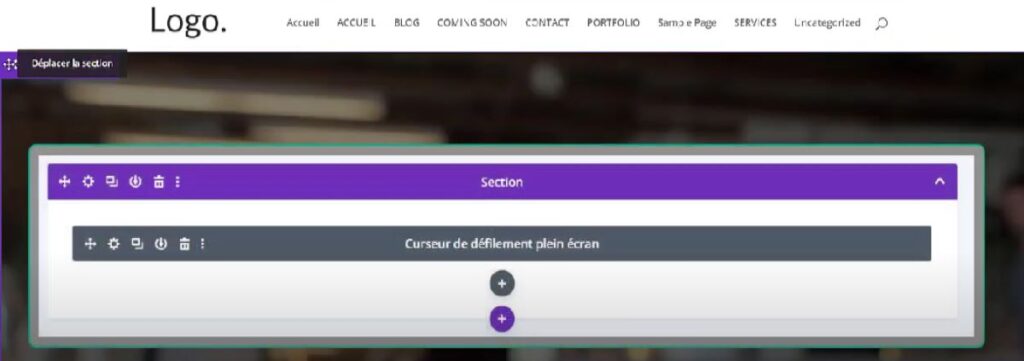
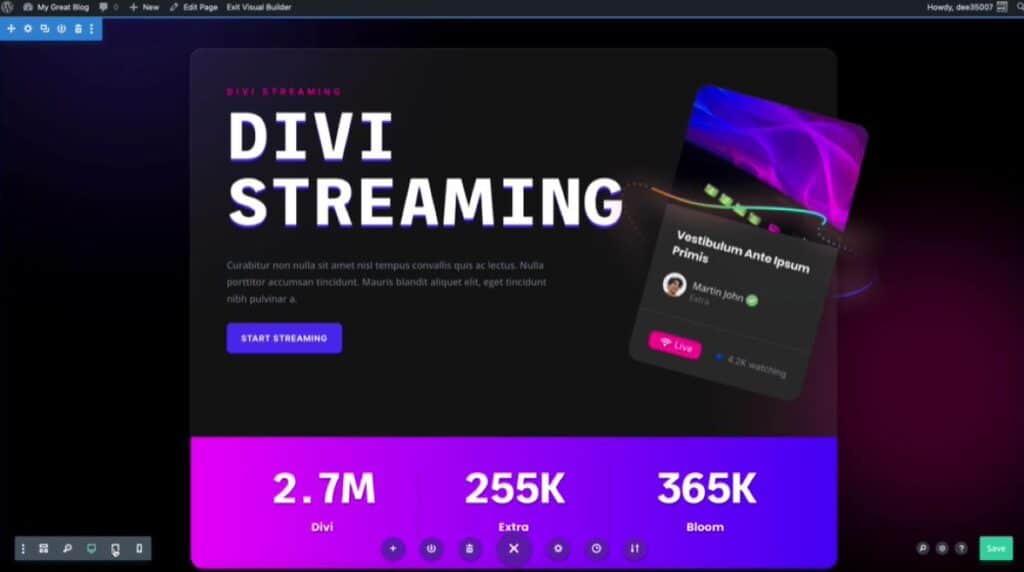
Divi’s visual editor, a powerful builder integrated into this WordPress theme , allows you to design and modify pages directly on the front end.
With each update or adjustment, you can see the result instantly , providing immediate feedback on the final appearance of your website.
This feature makes content creation intuitive and interactive, even for those with no coding experience.
Divi’s interface is designed to offer a smooth layout experience , allowing you to add, move, or remove modules by simply dragging and dropping.
Divi thus positions itself as a complete page builder, optimized for fast and intuitive use.
Various and customizable models
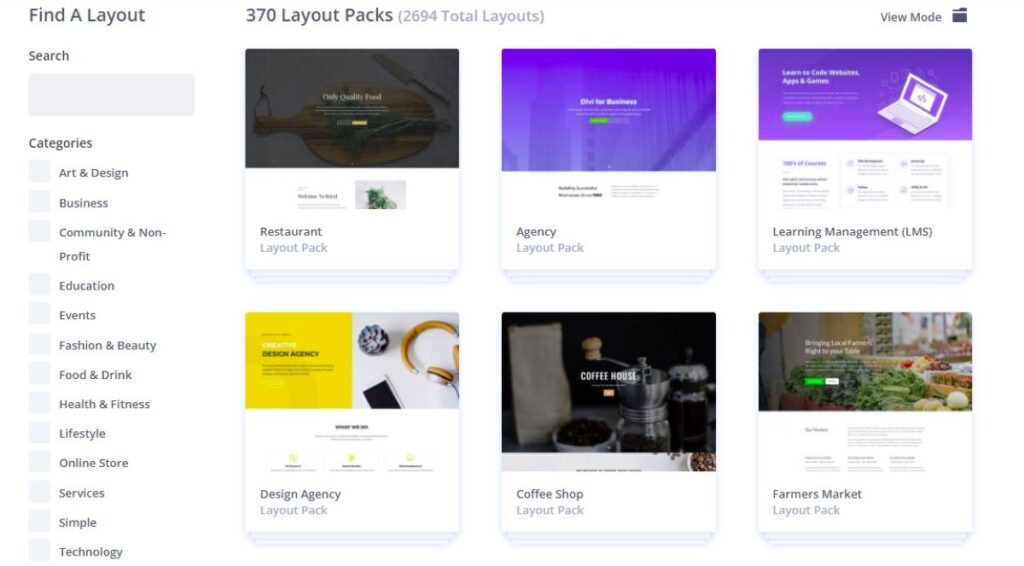
Divi provides an extensive library of over 200 modules.
You will discover image galleries, contact forms, call-to-action buttons, customer reviews , and many other options.
Each module is fully customizable: colors, fonts, sizes and much more can be adjusted to your liking.
This flexibility gives you the freedom to create unique layouts tailored to your specific needs .
Adaptive design
With the Divi theme, responsive design is built-in by default, ensuring that every page of your WordPress site displays optimally on all platforms.
Whether your audience is viewing your website from a computer, tablet, or smartphone, the appearance remains consistent and professional.
In addition to this responsive layout, Divi allows you to manually adjust every detail , thus offering advanced customization to adapt your design to all screens.
This flexibility in the page builder, which includes specific options for mobile and tablet view, is a valuable advantage for ensuring a seamless and harmonious user experience.
History and backup
Divi’s history system is a real safety net for creators using this WordPress theme.
This page builder allows you to revert to previous versions of each page , thus preserving your work and saving you time in case of error.
The automatic backup function further enhances this security, ensuring that all updates and changes are preserved, even in the event of a technical problem.
This feature, integrated into Divi’s editing module, offers valuable peace of mind and makes the web creation process much more flexible.
Divi pricing
To take full advantage of Divi’s features, it’s important to understand the pricing options. Whether you want to use it for a one-off project or multiple websites, Divi offers solutions to suit different budgets.
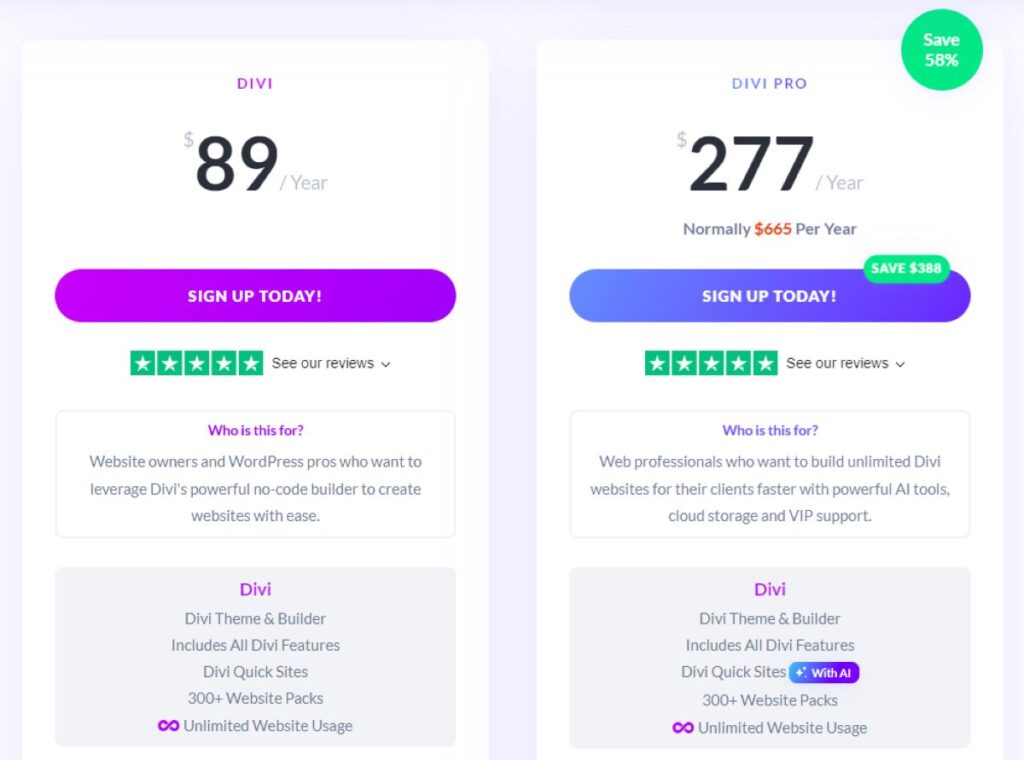
Divi Standard
At $89 per year, Divi Standard is designed for website owners and WordPress professionals looking to create no-code sites.
This plan includes all of Divi’s features. You’ll find over 300 ready-to-use website packs, with unlimited use for multiple sites.
It also offers premium support available 24/7. In addition, you have access to the Extra, Bloom and Monarch modules to enhance the capabilities of your site.
Divi Pro
Available at $277 per year, Divi Pro is ideal for webmasters who manage multiple client projects .
This plan offers the full features of Divi, but with AI tools for content generation (layout, text, images, code), unlimited cloud storage, VIP support with a 30-minute response time, and a 10% discount on the Divi marketplace.
This premium plan also allows you to invite up to 4 team members and includes a $50 credit for the marketplace.
What do Divi users think?
This user highlights the responsiveness and quality of Divi’s support service , with support available at any time.
The team’s attention is highlighted because it can be complex to resolve issues that involve the hosting provider, WordPress, and Divi simultaneously.
This type of support is valuable for users because it guarantees tailored assistance.
This allows problems to be solved effectively , as illustrated by this positive experience.
This user highlights the effectiveness of Divi in his daily use for creating websites , and he emphasizes the excellence of the technical support, which knows how to respond to every problem encountered.
It is only fair to highlight the reliability of the support, an essential element for professionals seeking quick and effective solutions.
Furthermore, he notes that Divi facilitates communication for the entrepreneurs he supports , by allowing the creation of websites without specific technical skills.
This user is satisfied with the Divi theme, appreciated for its ease of use, even without development knowledge .
He emphasizes its accessibility, allowing the creation of a quality website without technical skills.
The responsive and friendly customer support is a plus , offering quick and efficient help.
Recommending Divi therefore seems obvious to him, because this theme combines simplicity and good support, essential for a pleasant experience.
The advantages and disadvantages of Divi
Divi is a highly popular WordPress theme, known for its versatility and numerous website creation options. Here is a summary of its strengths and limitations:
The advantages
✅ Intuitive visual editor allows you to design pages in real time and view changes instantly
✅ Extensive template library, with over 1,900 ready-to-use layouts
✅ Advanced customization offers detailed options for creating bespoke designs
✅ A lifetime license represents an affordable long-term investment
✅ Active community offering support and diverse resources
The disadvantages
❌ Dependence on shortcodes can complicate migration to another theme
❌ Performance may vary, with a risk of slowdowns if the site is not optimized
In summary: our opinion on Divi
We have had the opportunity to work with Divi on several WordPress projects, and it stands out for its flexibility and ease of use.
The visual editor is undoubtedly one of the most intuitive we have tested , allowing you to create and modify pages in real time without advanced coding skills.
This is a considerable advantage for accelerating the development process while offering total creative control.
One aspect we particularly appreciated was the variety of pre-designed modules and templates, which provide a solid starting point for any creation.
This solution saves considerable time and ensures visual consistency , which is particularly useful for projects with varied designs.
A lifetime license is a smart choice for long-term use.
However, a learning phase is necessary to fully utilize Divi’s extensive options .
Furthermore, site optimization is essential to ensure smooth performance, as unoptimized elements can slow down loading.
Despite this, Divi remains a solid and versatile choice, ideal for creators looking for a complete and easy-to-use website builder on WordPress.

