




Our test result : 4.8/5
After several months of use on various projects, LiveAgent has won us over with its clear interface and logical ticketing system.
Automations are easy to deploy, channels are well integrated, and performance tracking is truly useful on a daily basis.
It’s a superb tool that has allowed us to be more responsive while maintaining real visibility into our customer interactions.
By 2026, providing fast , seamless and consistent customer support has become a strategic lever.
Customers want immediate answers , across all channels, without having to repeat their problem to each person they speak to.
To meet this level of requirement, you need a tool capable of centralizing , automating and optimizing every exchange, without complicating your daily routine.
This is exactly what we experienced with LiveAgent , and we are sharing our feedback here after using it on several concrete projects.
🕰️ Don’t have time to read everything? Here’s what you need to know about LiveAgent:
👉 Centralized ticket management : All messages are transformed into tickets, whether they come from email, chat, or social media. You categorize them, assign them, and maintain a clear overview of each request.
👉 Integrated live chat : The module installs quickly on your website and activates in real time. You can see what the visitor is typing, trigger messages, or transfer the conversation.
👉 Complete call center : It allows you to manage inbound and outbound calls without external tools. Each call is recorded, linked to the correct ticket, and enriched with customer information.
👉 Customizable automations : You configure rules to automate responses, assignments, or alerts. Fewer repetitive tasks, more efficiency.
👉 Real-time performance monitoring : The dashboard displays key indicators on responsiveness, workload and satisfaction, allowing you to manage your support with concrete data.
Introducing LiveAgent
LiveAgent supports over 40,000 companies in their customer management.
The principle is simple: all channels on the same interface .
Emails, chat, phone, social networks, knowledge base, you access everything from a single clear and well-organized dashboard.
Every incoming message is turned into a ticket. No more cluttered inbox. You see what needs to be done, who’s handling what, and where you stand.
The tool is designed to save you time . Repetitive tasks are automated, and you can stay focused on the requests that matter.
With over 200 integrations , you can easily connect LiveAgent to your CRM, e-commerce tool or billing solution.
In just a few hours, you’re ready to work. And the results are immediate.
Who is LiveAgent for?
LiveAgent is for businesses that want to manage their customer support simply, centrally, and without overlapping tools. Here’s who it’s suitable for:
- Launching a solid customer support system : If you’re starting a project and want to lay a solid foundation, LiveAgent provides what you need. Even with a small team, every request is tracked and handled without stress.
- Manage multiple channels without getting overwhelmed : Do you receive messages on multiple platforms? LiveAgent centralizes everything. No more risk of duplicates or forgotten clients. Everything is in one place.
- Optimizing customer relations for an e-commerce business : If you manage an online store with a growing volume of requests, this is a good option. You respond faster, you keep the history, and the customer experience becomes more consistent.
- Save time without sacrificing quality : Designed for freelancers and small teams. Automation handles repetitive tasks, while still allowing for personalized, human support.
The main features of LiveAgent
LiveAgent brings together essential tools to track requests, respond faster, and structure every step of customer support. Here’s what you can implement.
Centralized ticket management
Each message becomes a ticket that you can categorize, assign, or automate.
Whether it comes from an email, a live chat or a comment on social networks, everything goes up in a clear queue.
The history of exchanges remains visible at all times. Even if a customer changes channels or returns several days later, you keep track of the conversation.
Integrated live chat
The chat module can be installed on your site in just a few minutes .
You can see what the visitor is typing, trigger messages, or transfer the conversation to a colleague.
All this, without ever losing track. The discussions remain linked to the tickets.
Complete call center
LiveAgent integrates a telephony system without the need for external software.
You can receive and make calls , configure a voice menu, record conversations or redirect them as requested.
Everything is linked to the customer record. As soon as a call comes in, the information is displayed so your team can respond with context.
Custom automation solutions
You can create rules to distribute tickets , send automatic replies or trigger alerts depending on the subject or urgency.
Each repetitive action becomes faster and more reliable.
Automation adapts to your organization , without forcing you to change your working methods.
Real-time performance tracking
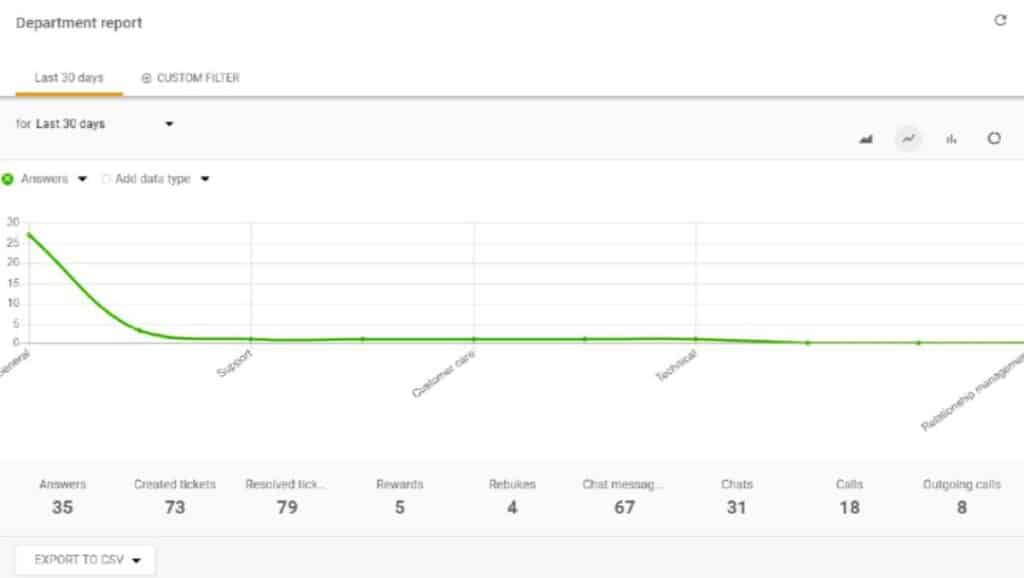
LiveAgent gives you access to a clear and comprehensive dashboard to identify what’s working and what needs adjusting.
Response time, number of tickets, satisfaction rate, each indicator is monitored in real time.
You can filter by agent, channel, or time period , then export the data to create detailed reports. This allows you to manage your customer support systematically.
LiveAgent pricing
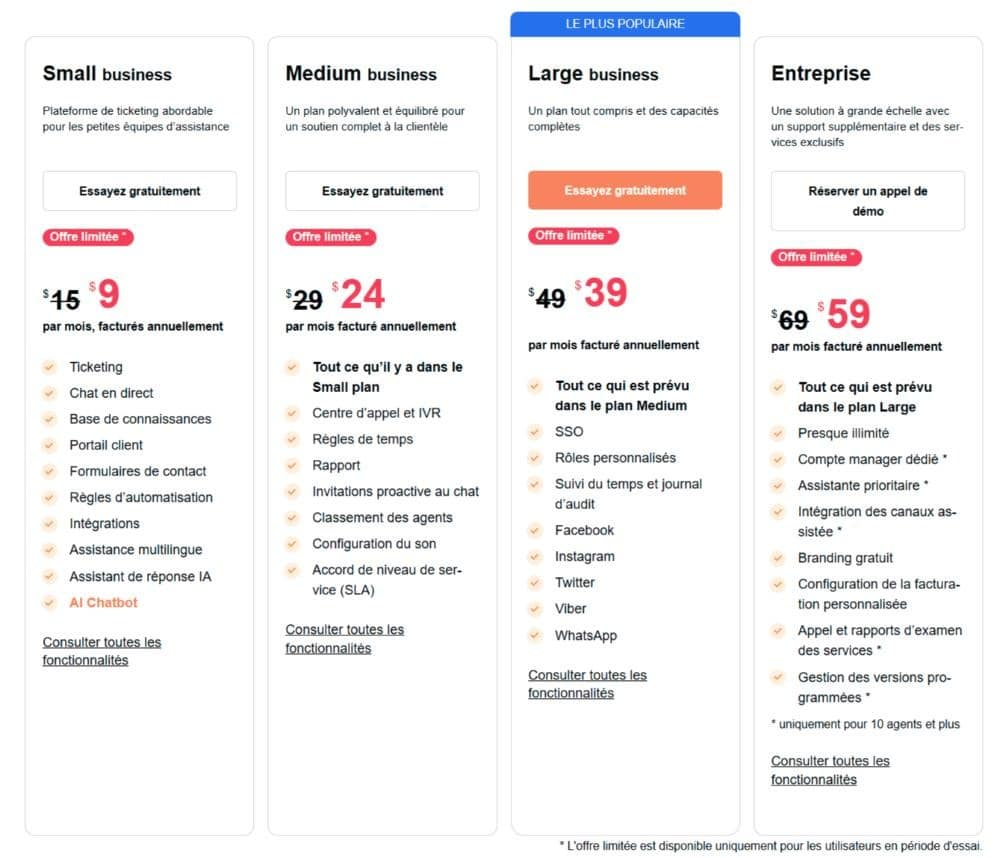
LiveAgent offers four paid plans, tailored to the size of your team and the channels you want to manage. Each plan adds new features to help you better organize your customer service.
- Small business : This plan starts at $15 per month per agent, or $13 per month if you choose annual billing. It allows you to manage emails, add up to three contact forms, and offer live chat on your website. Ticket history is unlimited, and you can already structure your support with 100 filters and standard integrations.
- Medium business : At $35 per month ( or $29 annually ), you’ll reach a new level. VoIP telephony is integrated, with incoming calls, transfers, recordings, and intelligent routing. You’ll also benefit from customizable widgets, an internal knowledge base, and automation rules to save time.
- Large Business : This plan is offered at $49 per month, or $39 if you opt for the annual version. It unlocks social media management. Facebook, Twitter, Instagram, WhatsApp—everything is centralized. You also get access to detailed reports, 50 customizable forms, and even more advanced automation.
- Enterprise : For $69 per month, or $59 annually, you get access to all features. Up to 200 forms, 5000 filters, enhanced security with SSO and audit logs, and dedicated support.
What do LiveAgent users think ?
The review highlights LiveAgent’s rich functionality at a reasonable price.
The interface is considered clear and well thought out, with a real plus for live collaboration between agents.
The mobile application facilitates support on the go, and the entire software package stands out for its excellent value for money.
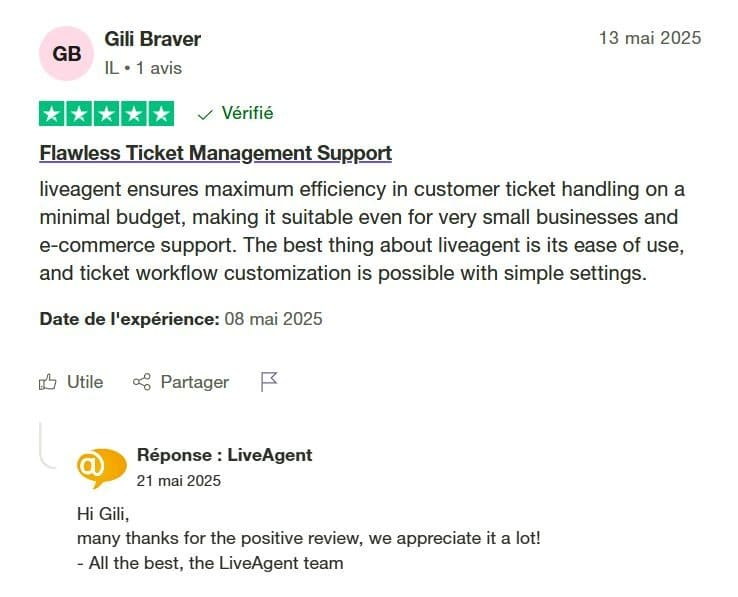
The review highlights the ticket management , which is fluid and efficient, even with limited resources.
LiveAgent is well suited to small businesses thanks to an intuitive interface and easy-to-implement customization options.
It’s an accessible tool that optimizes customer support without complexity.
Advantages and disadvantages
Before you get started, here’s what you need to keep in mind based on user feedback and our analysis:
The advantages
✅ All channels are accessible in a single interface
✅ Effective automations starting with the Medium plan
✅ Ultra-fast live chat ( less than 3 seconds on average )
✅ Over 200 integrations ( Slack, Shopify, WordPress, etc. )
✅ Customer support available 24/7
The disadvantages
❌ The mobile app is sometimes unstable
❌ Initial setup may take some time
In summary: our opinion on LiveAgent
We chose the Medium business plan to manage multichannel customer support without blowing the budget.
This plan allowed us to combine emails, live chat and VoIP telephony in a single tool, with simple automations to set up.
The installation was quick. In less than a day, the team was operational.
The live chat is seamless , the automation rules have saved us time, and the reports have improved our management of activity peaks.
LiveAgent doesn’t make empty promises. It does what you’d expect from a good support tool.
It centralizes, it structures, it accelerates . If you want clear, efficient, and hassle-free customer support, go for it.
Alternatives to LiveAgent
LiveAgent covers a wide range of needs, but other tools may be better suited to your specific situation. Here are three solid alternatives, with their specific advantages.
- Zendesk : Designed for large organizations, Zendesk focuses on a modern interface and advanced integration capabilities. You can manage high volumes of tickets, create complex workflows, and easily connect CRM, analytics, and internal tools.
- Freshdesk : Designed for SMEs and startups, Freshdesk impresses with its quick setup and intuitive design. The free plan is quite generous for getting started, including email, knowledge base, and ticketing.
- Help Scout : This tool emphasizes simplicity and a human touch. Instead of a cluttered dashboard, it features a clean interface resembling a collaborative email inbox. It’s a good choice if you value personalized relationships and don’t need to centralize everything so much.
How to use LiveAgent effectively
To get the most out of LiveAgent, it’s best to lay a solid foundation from the start. Here are the key steps to get organized.
- Configure the essential channels : Start by connecting your emails, your website ( for live chat ) and, if needed, your VoIP number. The sooner you centralize the entry points, the clearer things will be.
- Create your services and teams : Structure your support by service or by request type. Assign agents to each channel so that tickets are automatically routed correctly.
- Customize your chat widget : Choose colors, welcome messages, and display times. A well-configured widget means a boosted response rate.
- Set up automations : Define simple rules to assign tickets, send automatic messages, or trigger alerts.
- Configure the hours and SLAs : Specify the opening hours, desired response times, and priority levels. LiveAgent will then be able to alert you to emergencies in real time.
- Use reports to make adjustments : Track your team’s performance, identify volume spikes, and spot pending tickets. The data gives you real visibility into what needs improvement.
- Train your team : Take the time to demonstrate the key features to each agent. A thorough understanding of the tool ensures smoother support and better customer service.

